
Short answer:
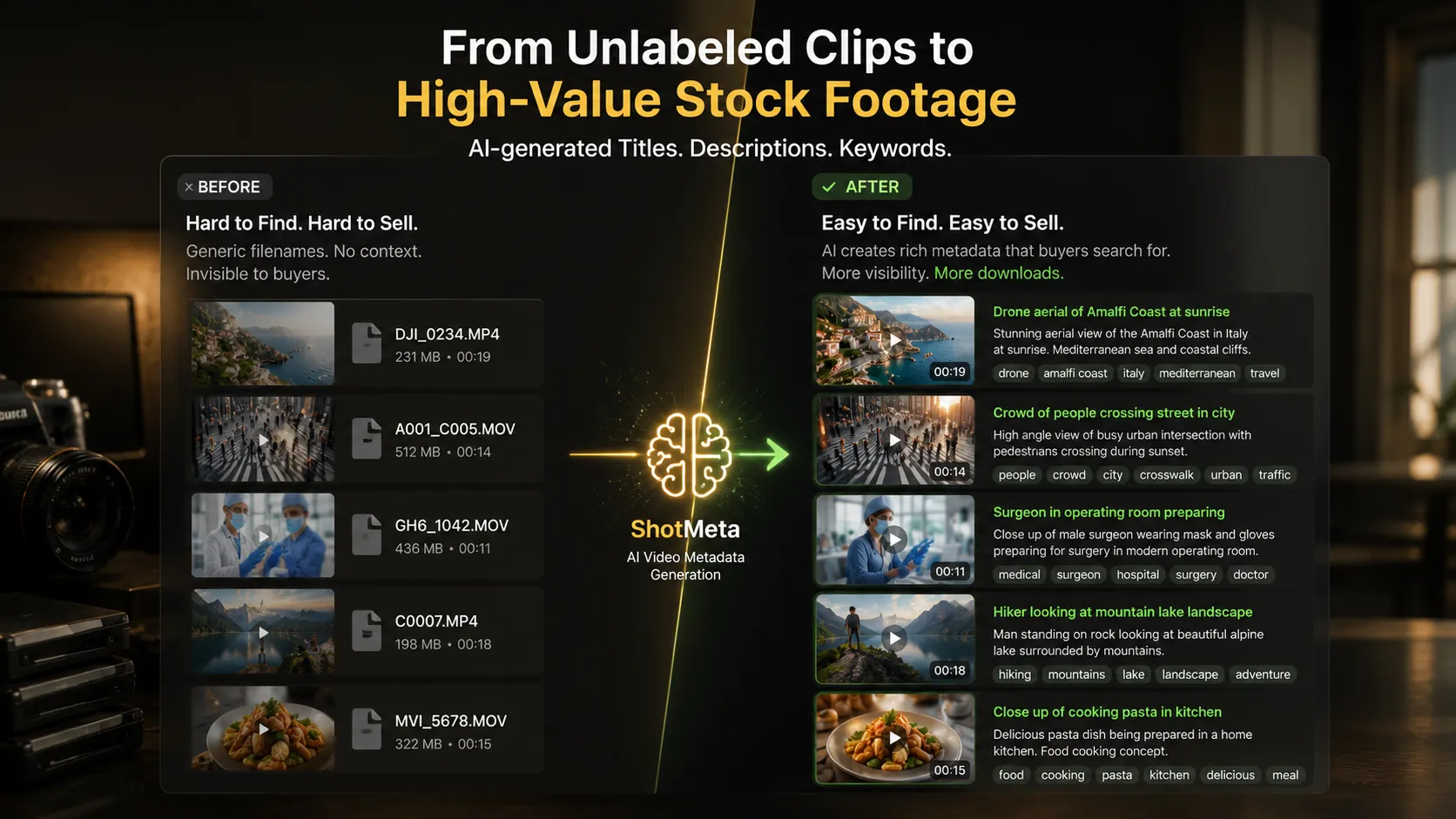
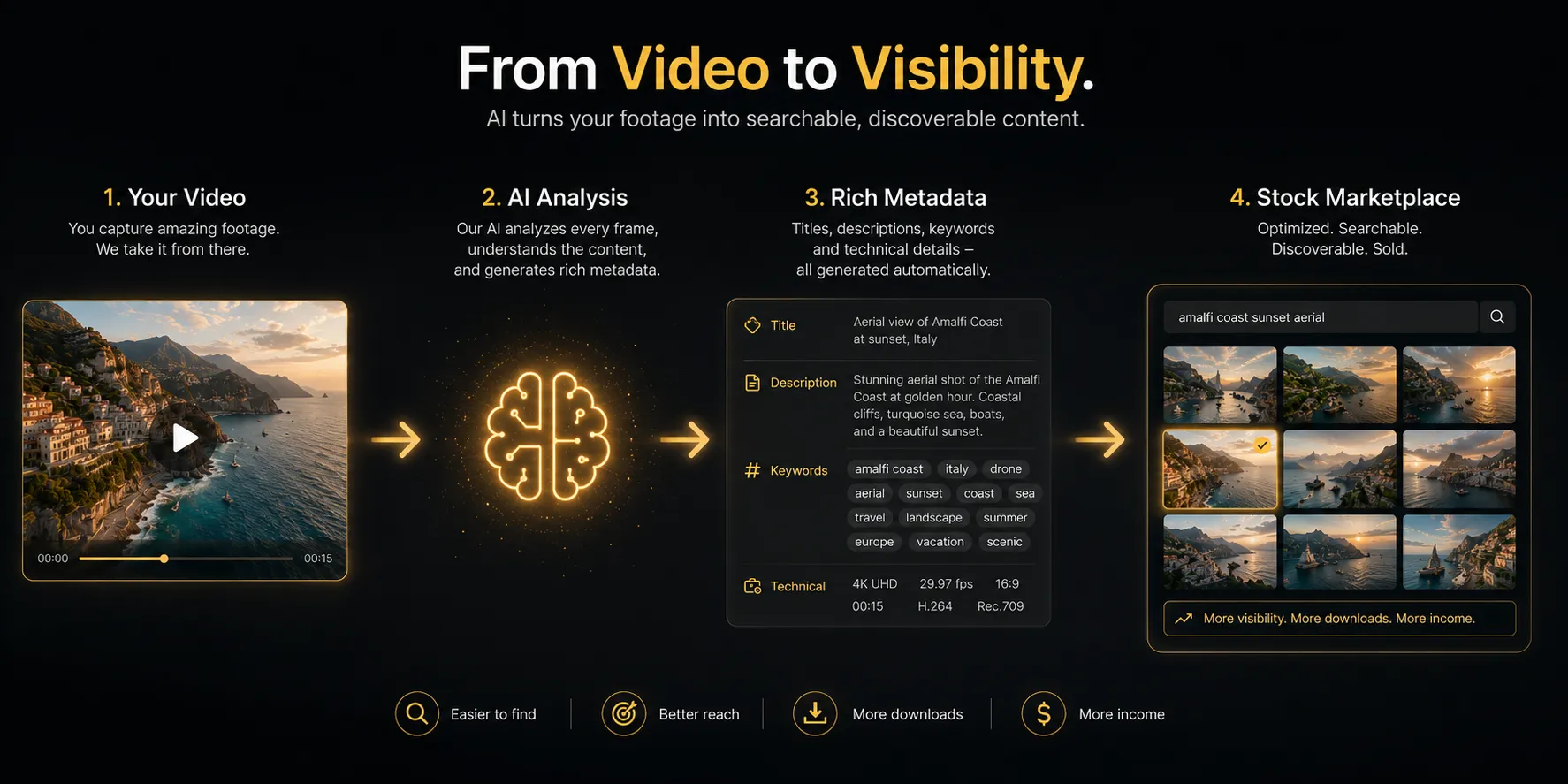
Keywording stock footage manually eats 5–10 minutes per clip. That’s hours vanishing into pure data entry. AI metadata tools like ShotMeta flip the script — they generate titles, descriptions, and 40+ keywords automatically. You’ll cut a full day’s work down to maybe an hour.
The math is simple. You upload your clip. The tool reads it, tags it, and spits out searchable metadata. You review, tweak, submit. Done. Your footage actually reaches buyers instead of rotting in the “unkeywarded” folder where all creators’ best work goes to die.
The right tool separates a backlog that strangles you from a submission workflow that actually breathes. Pick wrong, and you’re drowning in admin. Pick right, and you’re shipping.
Why Keywording Stock Footage Is So Painful
Stock footage keywording isn’t Instagram tagging. Platforms like Getty Images, Adobe Stock, and Pond5 demand:
- A precise, search-optimized title
- A descriptive sentence or two that matches what buyers actually search for
- 40–50 keywords — relevant, specific, ranked in order
Do this by hand for 200 clips and you’ve burned 20–30 hours on pure grunt work. Most videographers either rush it (weak keywords = zero sales) or skip submission entirely (no upload = no paycheck).
Bad metadata kills good footage. That’s the real bottleneck.
👉 I broke down the same problem for photos here — How to Add Metadata to Stock Photos Automatically. Video metadata matters even more because each clip costs you real shooting time.
The Manual Method (And Why It Breaks Down)
Most beginners start with the manual method. It looks like this:
- Open your NLE or file browser
- Watch the clip
- Write a title in the contributor portal
- Type a description from scratch
- Think of 40 keywords — and not repeat the same 10 for every clip
- Paste it all in. Repeat 200 times.
The problems compound fast:
- Your keywords get repetitive — you default to the same 15 words
- Titles become lazy — “Man walking in city” instead of something a buyer would actually search
- You burn out after 20 clips and the rest sit unsubmitted
Unsubmitted footage earns exactly zero dollars. Speed matters here.
AI Keywording Tools: ShotMeta vs. Doing It in the Contributor Portal
Most stock videographers face two realistic paths right now:
Option 1: Built-in portal tools (Getty, Adobe Stock)
- Some platforms offer basic AI suggestions inside their upload interface
- Keywords stay generic — they describe what’s obvious, not what buyers search for
- You still review and edit every clip manually inside the browser
- No batch processing — you’re trapped reviewing one clip at a time
- Metadata doesn’t embed into the file itself, so you’ll re-enter it everywhere you upload
Option 2: ShotMeta (dedicated AI metadata tool)
- Drop a folder of clips and walk away — it analyses each one automatically
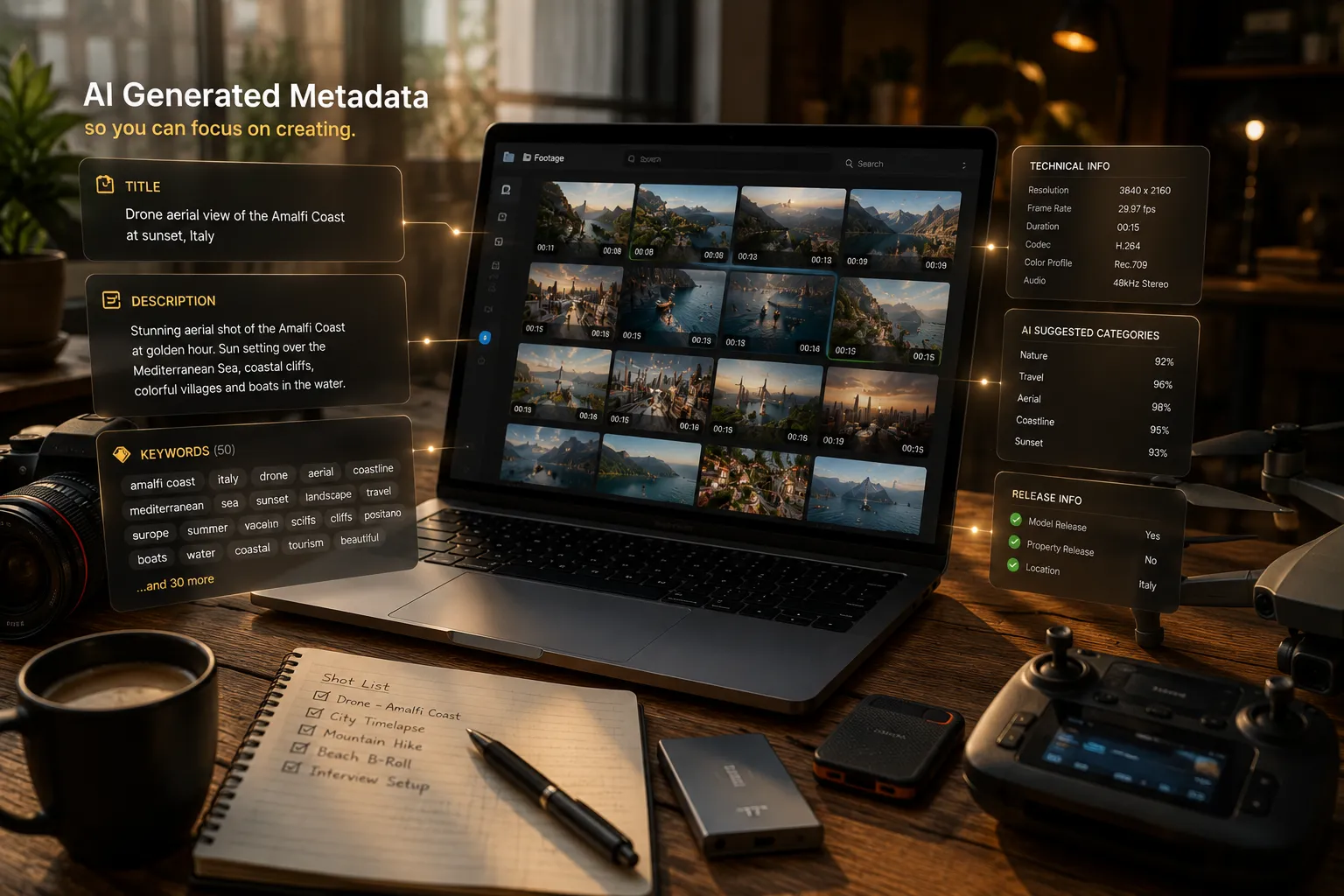
- Generates a title, description, and 40 keywords per clip without your input
- Writes metadata directly into the csv file
- Batch processes hundreds of clips while you do actual work
- Works across Getty, Adobe Stock, Pond5, and Shutterstock in a single pass
Portal tools make manual keywording slightly less tedious. ShotMeta eliminates it.
One is a painkiller. The other fixes the problem.
What the Workflow Actually Looks Like With ShotMeta
Here’s how this works in practice after a shoot:
- Export your selects — just the clips you want to submit
- Drop the folder into ShotMeta
- Let it run — AI analyses the visual content of each clip
- Review the output csv — titles, descriptions, and keyword lists per clip
- Edit anything that’s off (takes seconds per clip, not minutes)
- Upload to your platform — Deepmeta and some platforms accept direct csv upload.
- If not, then copy/paste within that platform is still 10 tims fatster than manual.
A 100-clip batch that used to eat a full day now runs in under an hour. Most of that time is the review pass, not the actual writing.
👉 See the full breakdown for video files: How to Add Metadata to Stock Photos Automatically
A Simple Recipe
- Export your selects into a single folder
- Drop the folder into ShotMeta
- Let the AI generate titles, descriptions, and 40 keywords per clip
- Do a fast review pass — edit anything obviously wrong
- Upload to your platform — metadata/csv is already embedded in every file
The Big Truth
The bottleneck in stock footage income isn’t the footage itself. It’s the metadata you never write.
Fix the workflow, and the submissions follow.