Short answer:
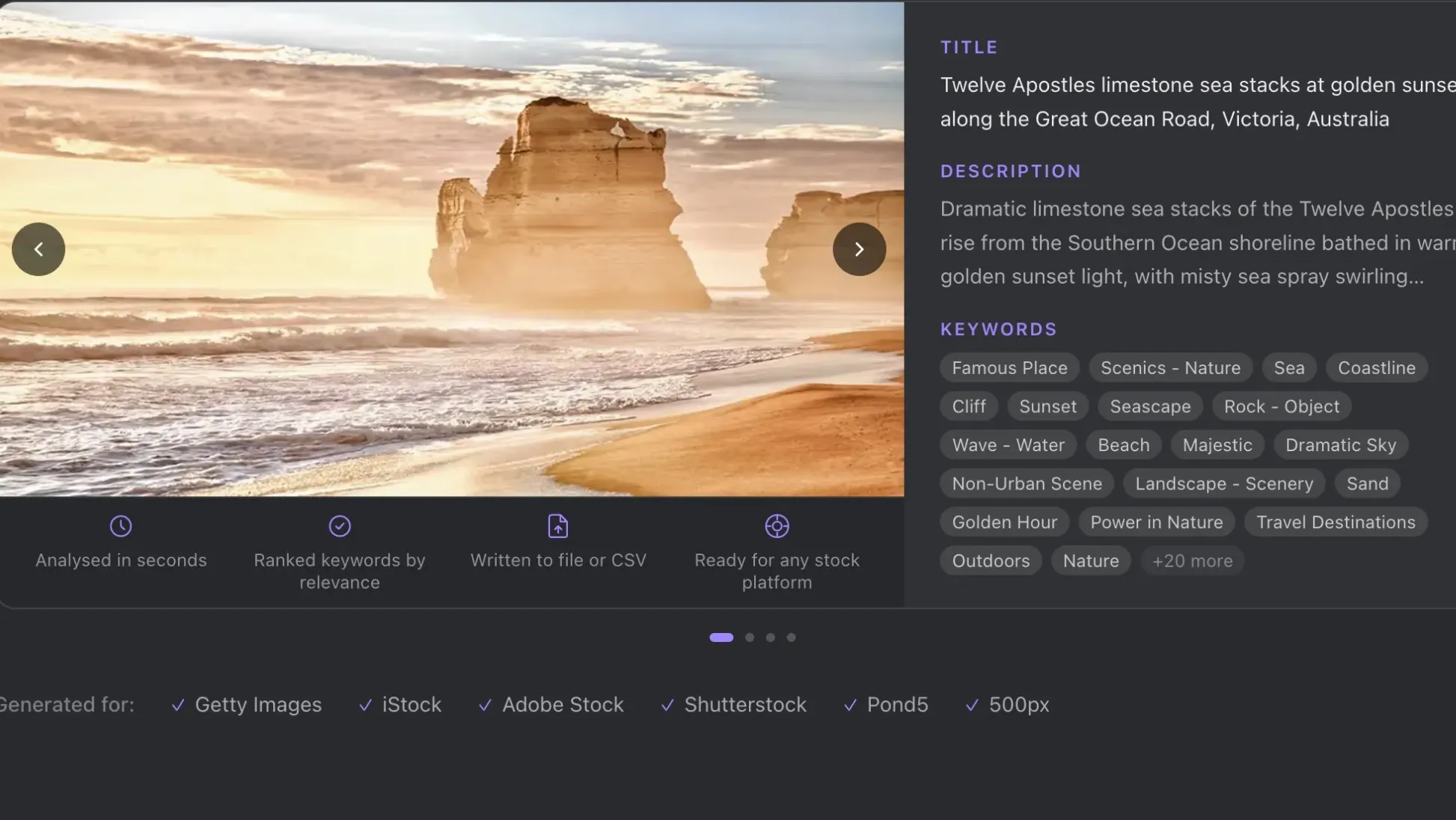
You can batch-add IPTC metadata to stock photos with ShotMeta — drop a folder, let AI analyze each shot, and it writes search-optimized titles, descriptions, and keywords straight into your files. No manual typing. No copy-paste workflows. Your files land on Getty, Adobe Stock, or Shutterstock already keyed for discovery.
Your backlog’s exploding because keywording pulls you out of the creative zone. You need a system that doesn’t wreck your flow.
The culprit: you’re doing keyword research and metadata entry while the creative work’s still hot. That context-switching costs you hours of manual entries. Professionals separate these tasks entirely.
Here’s the move:
- Shoot and edit in one session—don’t break for keywording
- Dump raw footage into a staging folder with just a date and shoot type
- Set a dedicated keywording day, maybe Friday afternoon when your creative energy’s already spent
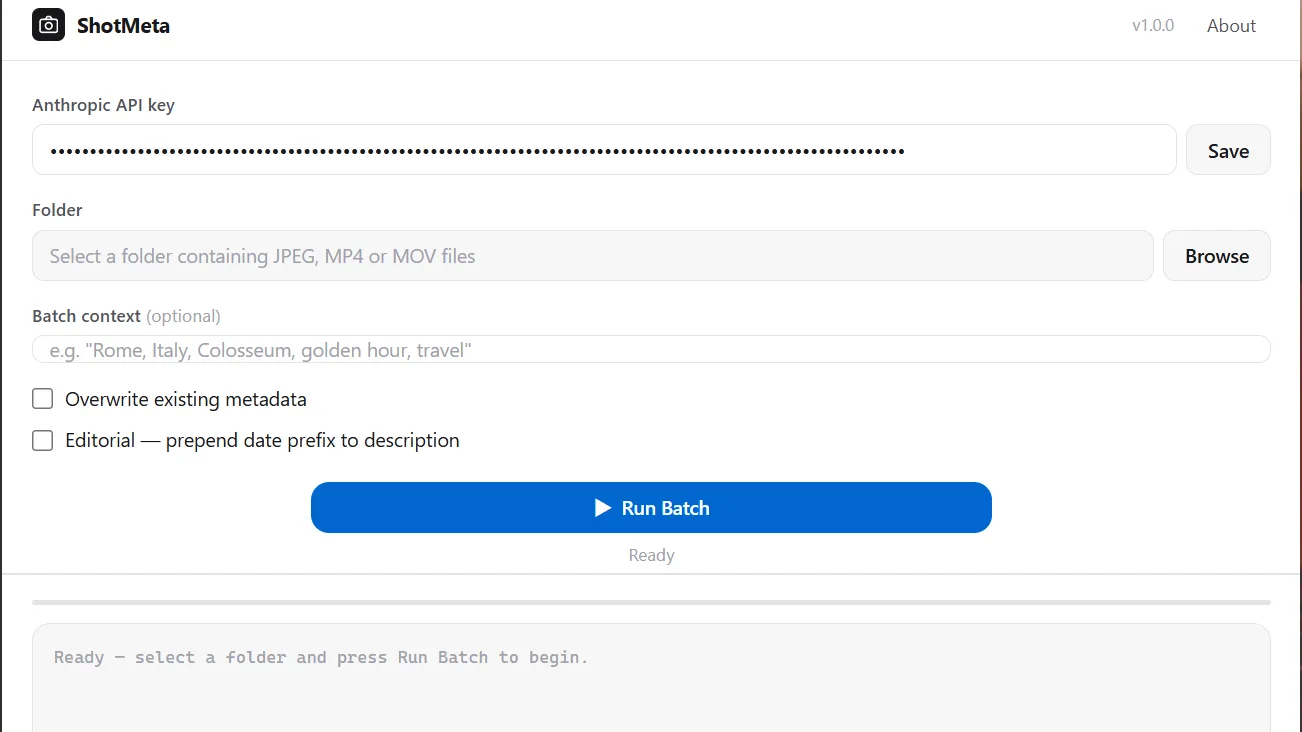
- All you need is some context to guide the system
The real time sink isn’t the keywords themselves. It’s the friction of switching between “creator mode” and “cataloguer mode.” Your brain hates that toggle.
I batch my Getty uploads by category now. Monday through Thursday I’m shooting and color grading. Friday I keyword everything from that week at once—it’s 1 hours of focused work, not seven micro-sessions scattered through the week. The backlog moved from 4000 clips to zero in a couple of weeks.
Your future self will love you for separating these tasks.
Why Stock Photo Metadata Takes So Long
Every major stock platform locks your images behind metadata requirements before they go live.
- Getty/iStock: title, description, 10+ keywords per image
- Adobe Stock: same, plus category tagging
- Shutterstock: title, 50 keywords maximum, editorial flags
You’re doing real writing work before a single sale is possible.
The manual grind looks like this:
- Open Bridge, Lightroom, or the upload portal
- Type a title. Write a description. Add keywords one by one.
- Save. Move to next image. Repeat 300 times.
- Copy/paste can reduce some of this labour
At 3–5 minutes per image, a 300-shot shoot costs you 15+ hours in metadata alone. That’s why most photographers never clear their backlog.
You don’t have a shooting problem. You have a post-processing bottleneck that strangles passive income before it starts.
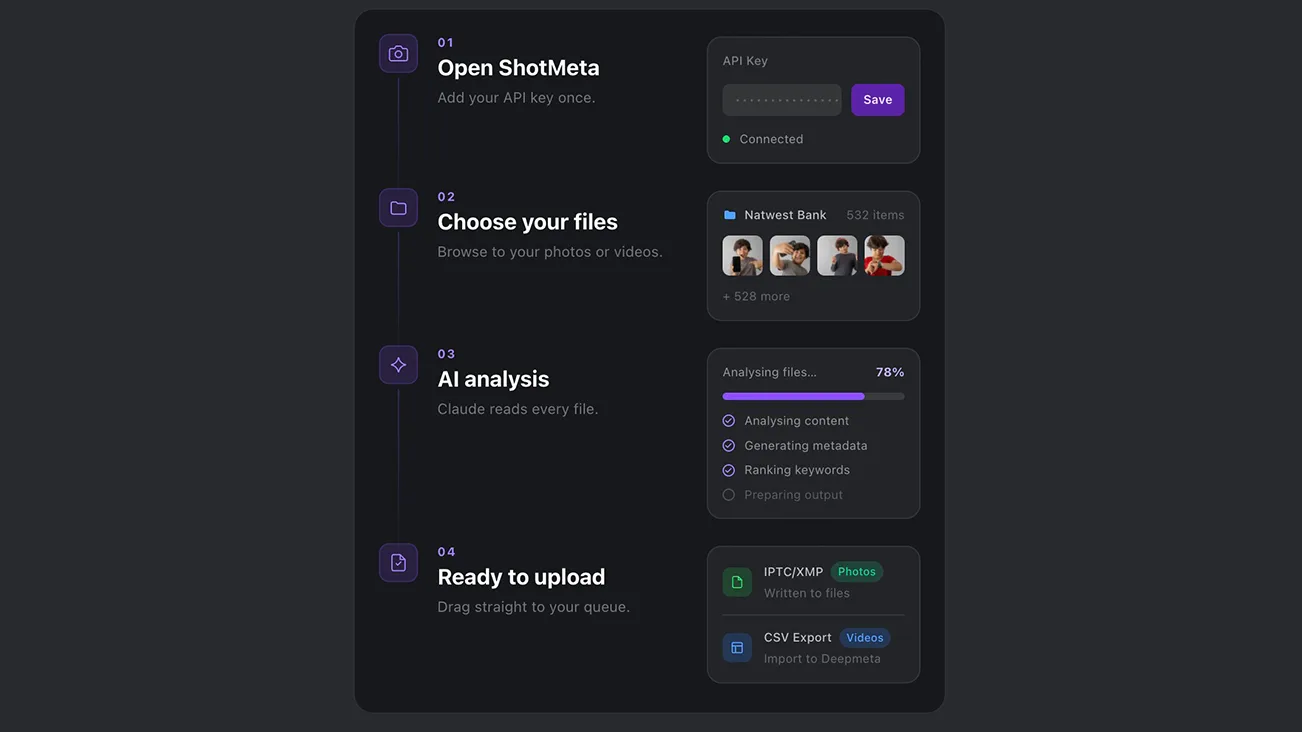
How ShotMeta Works — Step by Step
ShotMeta uses the Claude API to read your small res-images and write market-ready metadata straight into your files, without uploading your original file anywhere.
Here’s how it works:
- Drop a folder — drag in any batch of images, raw or processed
- ShotMeta processes the batch — no manual selection needed
- Claude reads the actual image — subject, context, colour, mood, editorial angles (you need a Claude API account – 0.01-0.02/image)
- Generates a search-oriented title, description, and keywords — written the way buyers actually search
- Metadata writes directly into IPTC fields — embedded in the file, ready to go
- Upload straight to Getty, iStock, Adobe Stock, Shutterstock — your files arrive pre-tagged and platform-ready
The AI doesn’t guess. It reads what’s actually in your frame and writes metadata that matches it — the way a seasoned stock editor would.
👉 Wondering if your current workflow is tanking your stock income? Read How AI Is Changing Stock Photography (And What It Means for You)
Privacy – Your images bever leave your computer, only a small-resolution images is used by Claude API to analyze everything.
Keyword relevance – For sites like Adobe stock, the first 10 keywords are most relevant, ShotMeta sorts the keywords based on relevance for these stock sites.
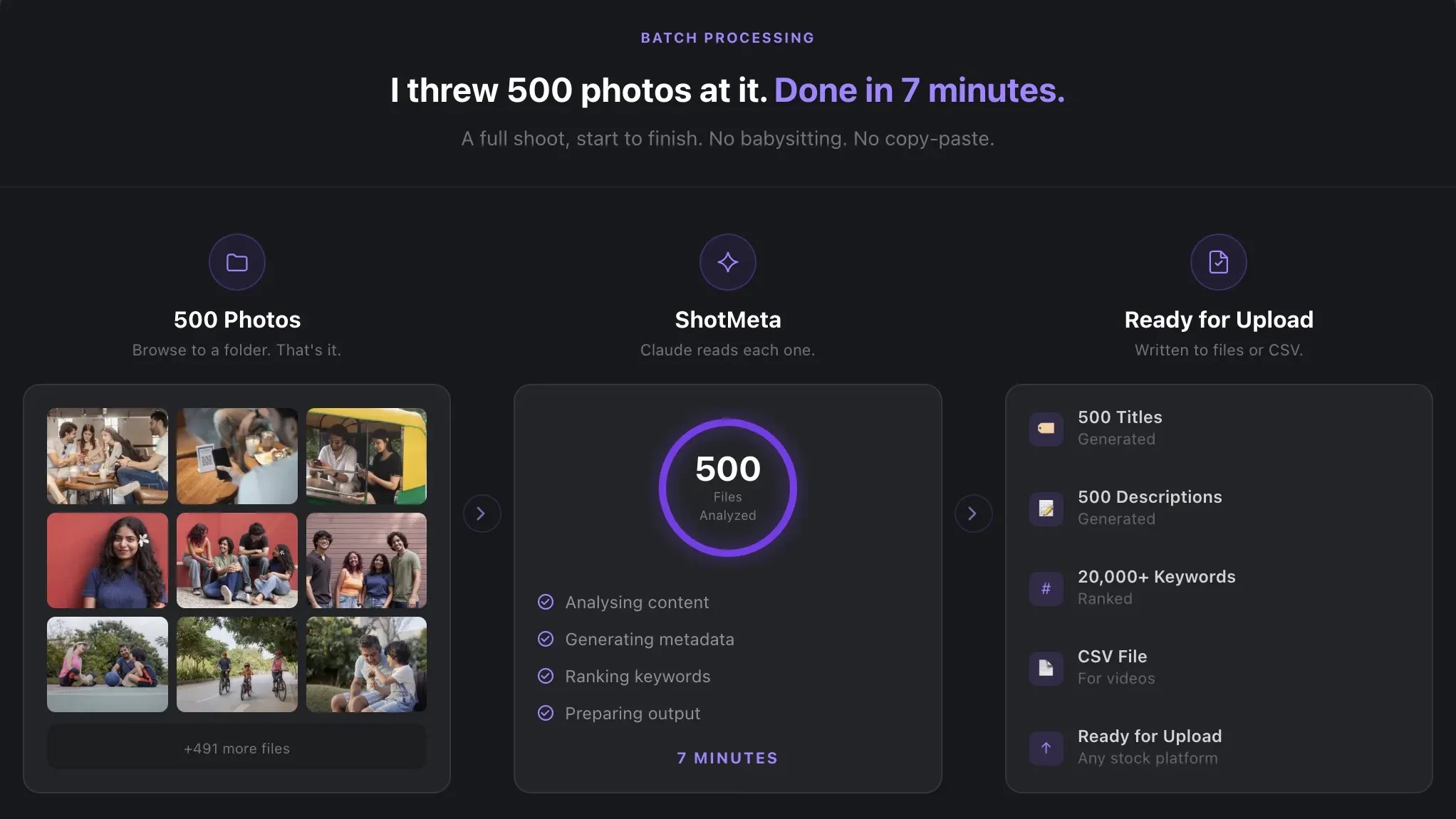
Real Results — Before and After
The numbers are not subtle.
- Time per image: 4 minutes → 8 seconds
- 300-image shoot: 20 hours of metadata work → under 35 minutes
- Backlog: folders you haven’t touched in months finally uploaded
- Income: more uploads live = more chances to earn passive royalties
Stock photography income is a volume game. You’ll earn consistently when you have the most searchable images live. Metadata is the gatekeeper — it’s just no longer a bottleneck.
Every image sitting untagged on your hard drive is passive income you’re leaving on the table.
Who ShotMeta Is For
ShotMeta solves one problem: you’ve got thousands of images and keywording them manually will kill you.
- Stock photographers pushing work to Getty, iStock, Adobe Stock, or Shutterstock on a schedule
- Photographers drowning in hard drive backlogs — shoots that never uploaded because metadata felt like a second job
- Anyone spending more time tagging than shooting — if keywording is your ceiling, this removes it entirely
You can keyword manually if you’re shooting under 10 images a month. Once you’re serious about stock, doing it by hand becomes your worst bottleneck.
👉 Capturing Reality: How Authentic Stock Photography Is Changing the Game — read this before your next brief lands.
A Simple Recipe
- Download and install ShotMeta
- Browse to your processed image folder in ShotMeta
- Let the Claude API scan and analyse each image
- The generated titles, descriptions, and keywords are updated to the file IPTC
- Upload your pre-tagged files to Getty, Adobe Stock, or Shutterstock