Short answer:
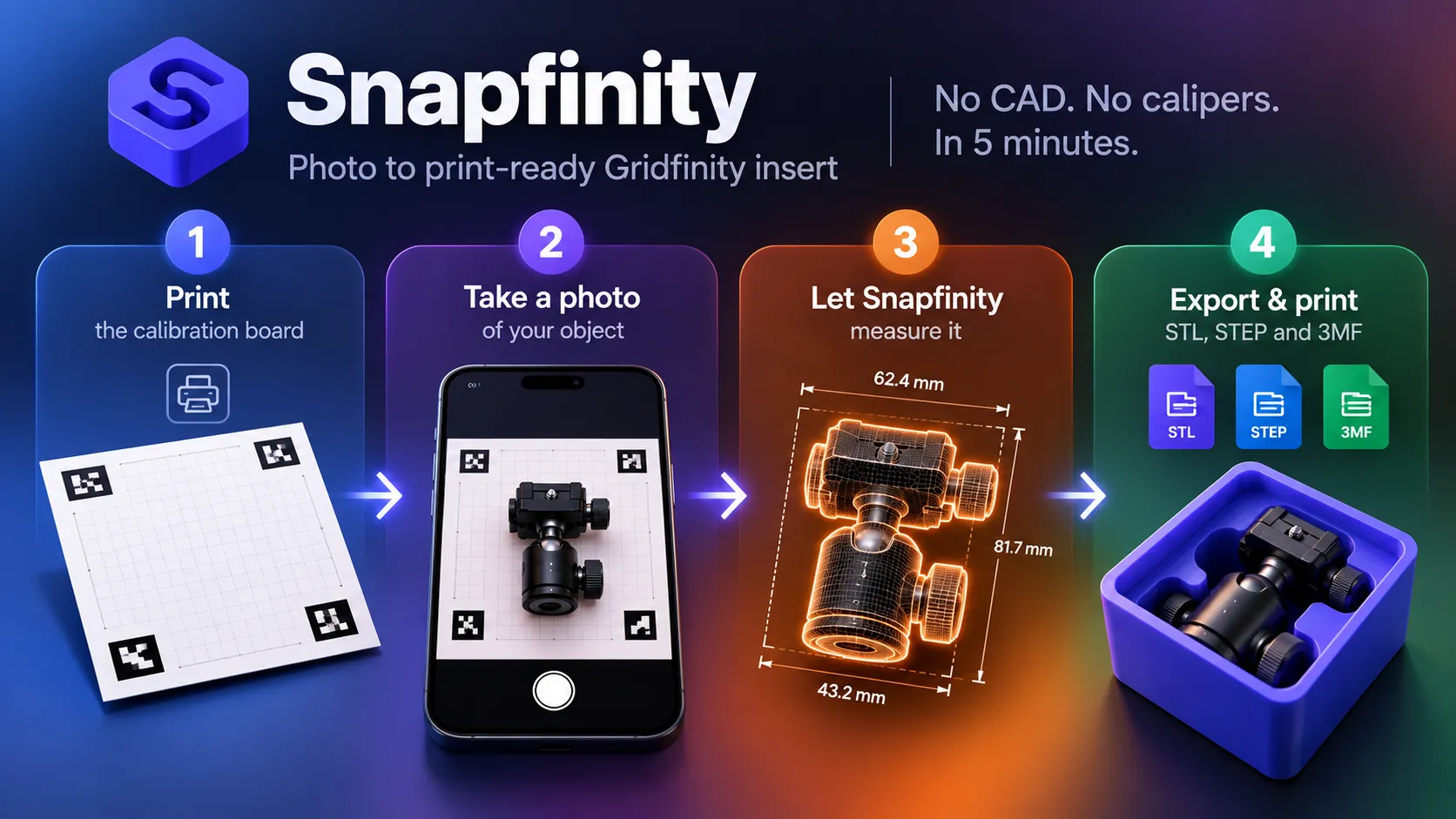
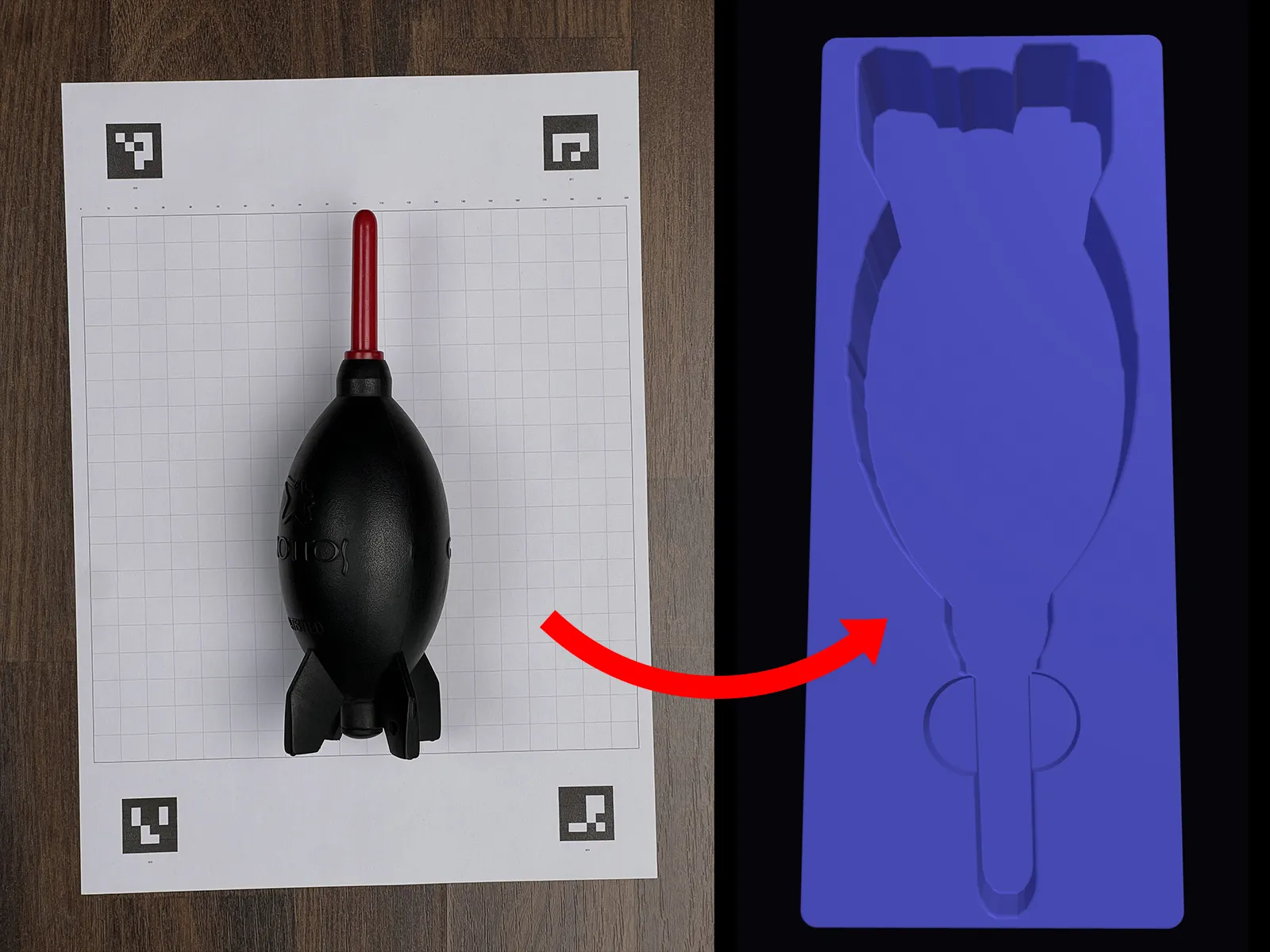
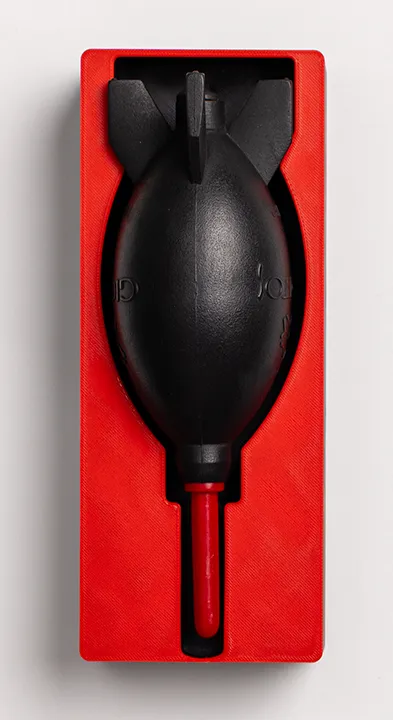
Point your phone at any object, and Snapfinity generates a custom Gridfinity bin STL — no calipers, no CAD software, no guesswork. Computer vision estimates dimensions from a single photo. You get a print-ready insert in seconds.
That’s it. No measuring tape nonsense. No opening Fusion 360 at midnight wondering if you got the width right. You photograph the thing, you print the bin.
Stop using measurement as your excuse. This solves it.
What Is Gridfinity and Why Does It Matter for Creatives?
Gridfinity is a modular storage system built on a 42mm grid. You 3D-print bins, trays, and inserts that snap into a baseplate. Everything locks down. Every tool gets a spot.
- Lens caps stop vanishing
- Memory cards, ND filters, and batteries land in dedicated slots
- Your studio drawer transforms from chaos to order in one print session
The friction point is setup. For a custom fit, you’ll measure your gear with calipers, model a bin in Fusion 360 or FreeCAD, export it, slice it, print it. That’s two hours gone before you’ve touched anything.
The best storage system is the one you actually build — and most people skip it because CAD feels like a wall, not a storage problem.
👉 Related: How to Automatically Organise Your DaVinci Resolve Media Pool — same logic, no friction.
How Snapfinity Works — Photo In, STL Out
Snapfinity at drrave.com/tools/snapfinity gets you from photo to print in three moves.
- Shoot your object on a flat surface with a reference — coin, card, whatever you’ve got with a known dimension
- Upload the image to Snapfinity — computer vision clocks your reference object and calculates your item’s actual size
- Download the Gridfinity-compatible STL — slice, print, organize
No signup. No CAD. No calipers required.
Gridfinity tolerances bake in automatically, so your bin snaps onto the grid without you tweaking anything.
You photograph the object. The tool does the geometry. You just print.
Start here: drrave.com/tools/snapfinity
What You Can Actually Print Bins For
Anything with a consistent footprint works well. Here’s what’s genuinely useful for photographers and filmmakers:
- Lens caps — 49mm, 67mm, 77mm, 82mm, all different heights
- CFexpress and SD cards — custom stacks with finger-lift cutouts
- ND filter sets — individual slots per filter size
- Batteries — LP-E6, NP-FZ100, whatever you run
- Hot shoe adapters and cold shoe mounts
- Studio tools — hex keys, spanner wrenches, small LED remotes
- Desk accessories — pens, USB drives, dongles, cable clips
If it lives in a drawer and you’ve lost it twice already — it belongs in an organiser.
👉 Related: Behind the Scenes of Setting Up a Product Video Shoot — an organised kit shaves 20 minutes off shoot setup.
Accuracy: What Computer Vision Can and Can’t Do
Snapfinity calibrates scale using your reference object. It nails accuracy when:
- You shoot straight-on — no steep angles
- The object lays flat with nothing hanging over its footprint
- You keep the reference item visible and unobstructed
You’ll land within 1–2mm for most objects. For Gridfinity bins, that’s well within tolerance — the design already bakes in clearance.
The tool chokes on:
- Highly reflective surfaces — lenses, polished metal — that confuse edge detection
- Irregular shapes with undercuts or complex curves
- Anything smaller than 15mm in any dimension
If your object’s weird, It will still print fine. In case of any doubts, run a 20-minute draft at 0.3mm layer height before you commit to the full print.
A 20-minute draft print saves you a 2-hour reprint. Test first, always.
A Simple Recipe
- Place object on the provided calibration board
- Photograph straight-on — parallel to the surface, no steep angles, the app corrects for perspective and off-angles
- Upload photo to Snapfinity after download and install drrave.com/tools/snapfinity
- Tweak, create scoops, magnets, lip, and the Download the generated Gridfinity STL/3MF
- Final print: 0.2mm layer height, 2-3% infill, PLA/PETG for bins
The Big Truth
Your studio drawer stays chaos because every solution you’ve tried demands skills you never wanted to develop in the first place.
Snapfinity turns Gridfinity bin customization into a photography problem instead of an engineering headache — head over to drrave.com/tools/snapfinity and try it out.